Last reviewed: June 2026. Based on the current Rank Math free and Pro versions, installed and in active use on OGV. Pricing verified June 2026.
Quick Verdict
In my experience, Rank Math SEO free is the most capable no-cost SEO plugin for WordPress. For most solo operators and small site owners, you will not need Pro until you are publishing at volume and want keyword rank tracking built into your dashboard.
- Best for: WordPress site owners publishing their own content
- Free version covers: Schema, redirects, 404 monitoring, GSC integration, image SEO
- Upgrade when: You need keyword rank tracking or deep analytics
- Compared to Yoast: Cleaner interface, more built-in features, fewer paywalls on the free tier
Most SEO plugin decisions come down to two things: what does it actually do, and does it make the work harder or easier. I have run Rank Math on OGV since the site launched and have configured it across multiple WordPress installs. This review covers what the free version gives you, where Pro makes sense, how it compares to Yoast in day-to-day use, and what it cannot do for you regardless of which tier you are on.
This is written for people managing their own WordPress sites, not agencies running thirty client accounts. The context matters because some of Rank Math’s Pro features can be genuinely useful at scale and may feel like more than you need if you are running one or two sites.
Rank Math has a free version that covers most of what this review describes.
Affiliate link. I use Rank Math on OGV. If you sign up through this link I earn a small commission at no extra cost to you.
What Rank Math Actually Does
Rank Math is a WordPress plugin that sits between your content and Google’s indexing process. It gives you two categories of tools: real-time feedback as you write, and structural site management after you publish.
The real-time side scores your content against a focus keyword as you write. It checks keyword placement in your title, slug, first paragraph, headings, and image alt text. It checks readability, link density, and content length. None of this is magic. The score is a checklist proxy, not a ranking guarantee. But it is a useful checklist that most people skip, and having it visible while you write is faster than auditing after the fact.
The structural side is where Rank Math earns its place. A redirect manager, a 404 monitor, schema markup controls, image SEO settings, and a direct Google Search Console connection all live in one dashboard. On most other plugins, half of these require separate tools or paid upgrades.
The Content Score Panel in Practice
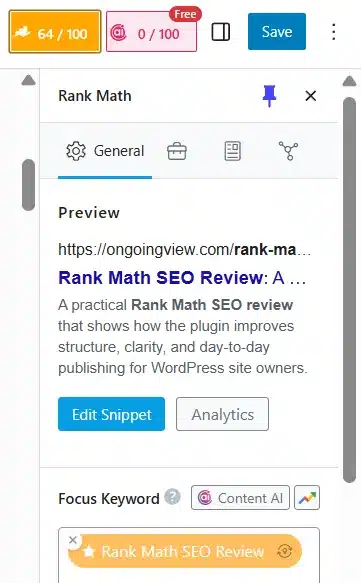
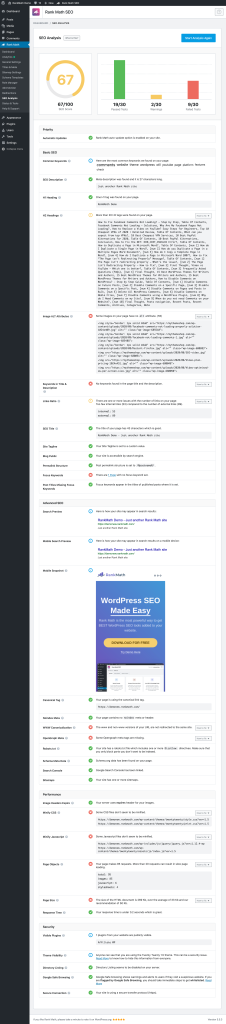
When you open a post in Gutenberg, Rank Math adds a panel in the right sidebar with your content score. The score runs from 0 to 100. A score above 80 means you have covered the structural basics. Below 70 usually means something is missing, not that the content is poor quality.
The most useful part is the checklist breakdown beneath the score. You can see exactly which signals are missing and click through to the relevant field. It is a faster editing loop than guessing where the gap is after you have finished writing.
One thing worth understanding: the score does not measure content quality, originality, or how well you are answering the reader’s actual question. It measures technical signals that correlate with well-optimized pages. Treating it as a floor to clear rather than a ceiling to chase keeps you from writing toward the checklist instead of the reader.
Schema markup tells Google what type of content a page is: an article, a review, a product, a how-to guide, a local business. Pages with accurate schema can appear differently in search results, sometimes with star ratings, FAQ dropdowns, or structured snippets. Most SEO plugins charge for this. Rank Math includes a working schema builder in the free version.
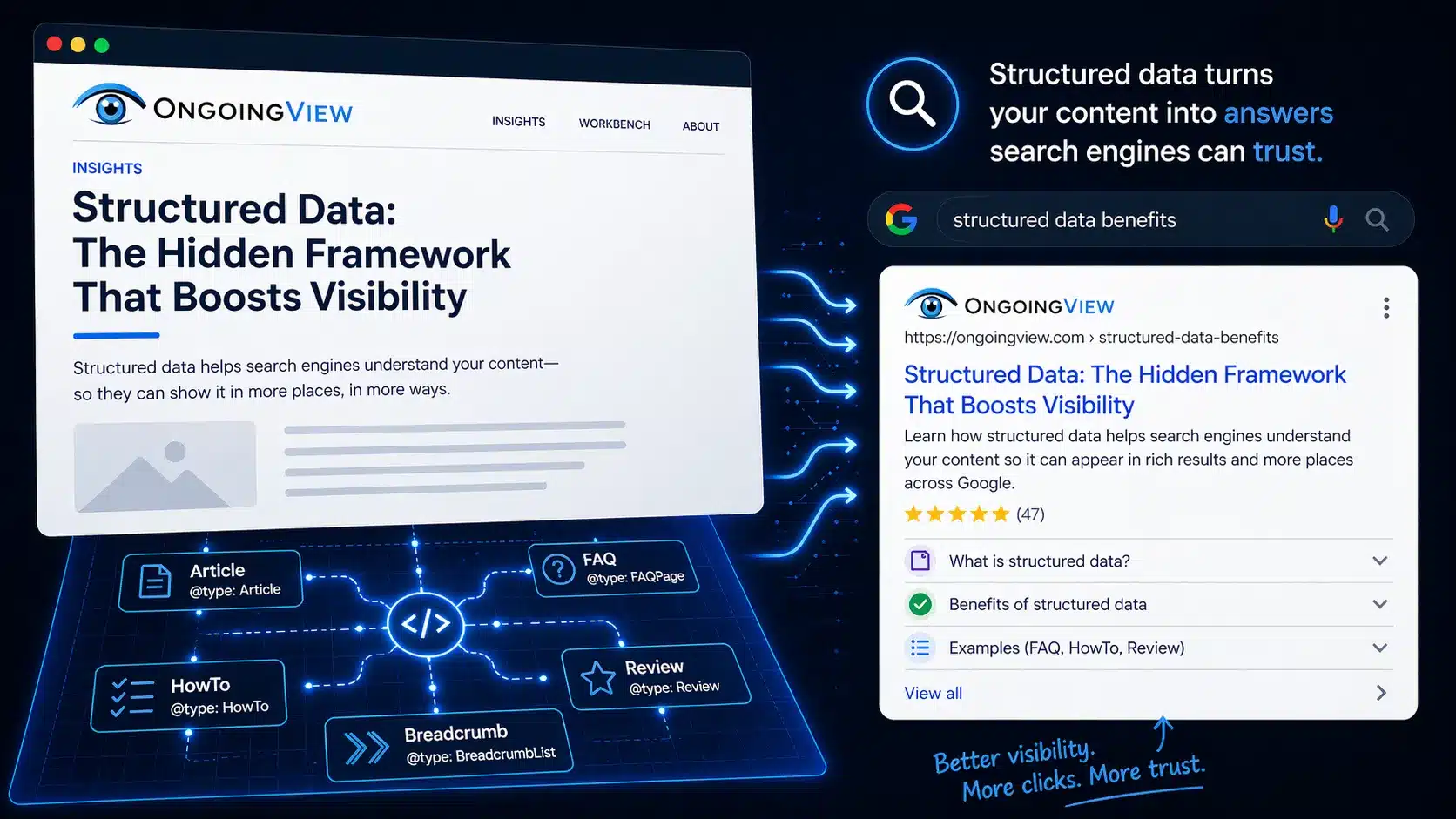
If you want to understand how schema declarations interact with how Google surfaces content, the structured data breakdown goes deeper on why explicit declarations outperform inferred data.
One thing worth factoring in: on Rank Math free, you can apply one schema type per post. If you are writing a review article and also want FAQ schema, you pick one. Pro removes that limit. For most posts this is a non-issue. For hybrid content types, it is a genuine tradeoff to account for before you configure it.
This article is configured with Article schema, confirmed clean through Google’s Rich Results testing tool. That output is what makes the page eligible for structured display in search results. If you are setting up a content site, Article schema is the baseline to get right before exploring more specific types for reviews or how-to content.
Redirect Manager and 404 Monitor
These two tools are the most underrated part of Rank Math free. Most site owners discover broken links through user complaints or ranking drops, not through a live monitor. The 404 monitor logs every request that returns a 404 error so you can find what is breaking before it compounds into a crawl problem.
The redirect manager lets you create 301, 302, and other redirect types directly in WordPress without touching your server config or installing a separate plugin. The combined workflow is: check the 404 log, identify broken source URLs, create redirects to the correct current destination. That sequence takes under five minutes and keeps your link equity intact when you restructure content or change slugs.
Rank Math Free vs Pro: What You Actually Lose by Staying Free
Most free-vs-Pro comparisons list every Pro feature and let you assume you need all of them. You do not. The Rank Math free version covers most of what a single-site owner does in a week. The real question is which of the Pro additions you will actually use. Here is the split, and where the line falls in practice:
| Feature | Rank Math Free | Rank Math Pro |
|---|---|---|
| On-page SEO scoring | Yes | Yes |
| Schema markup | Yes, one type per post | Yes, multiple types per post |
| Redirect manager | Yes | Yes |
| 404 monitor | Yes | Yes |
| Google Search Console integration | Yes | Yes, with enhanced analytics view |
| Image SEO automation | Yes | Yes |
| Keyword rank tracking | No | Yes |
| Advanced analytics dashboard | No | Yes |
| Internal link suggestions | No | Yes, via AI Link Genius |
| Best fit | Solo operators and single-site owners building a content base | Active publishers who want daily rank tracking in one place |
The honest upgrade trigger: if you are actively publishing and want to track where specific keywords are moving without logging into Search Console every day, that is when Pro earns its cost. Pro is $8.99 a month billed annually, and Rank Math discounts it often, so check the current price before you buy (it was $5.99 when I last looked, June 2026). If you are still building your content base, the free version covers everything you need and the upgrade can wait.
Rank Math
Start with free. Upgrade only when you need it.
The free tier covers schema, redirects, 404 monitoring, image SEO, and GSC integration. Everything you need to build a clean, well-structured WordPress site.
Affiliate link. I use Rank Math on OGV. If you sign up through this link I earn a small commission at no extra cost to you.
Rank Math vs Yoast: The Real Difference
I used Yoast for three years before switching. Yoast works. It is well-supported software with a long track record. The reason I moved was that its free version does considerably less on the technical side, and the interface adds friction to the writing process in ways that compound over time.
Yoast’s free version includes neither a redirect manager nor a 404 monitor. The redirect manager is a paid Premium feature on Yoast; for 404 monitoring there is no built-in option at any tier, so you add a separate plugin. Rank Math puts both in the free install. That difference is fewer plugin conflicts, fewer update cycles, and fewer places for something to break quietly.
The schema difference between the two is less about which types are available and more about control. Rank Math gives you an explicit schema selector per post where you choose and configure the type directly. Yoast applies schema based on content type automatically, which is simpler but gives you less precision when your content requires a specific configuration.
The interface difference is real. Rank Math’s sidebar panel is compact and easy to scan. Yoast uses a tabbed layout at the bottom of the editor that requires more scrolling and more clicks to reach the same settings. Over two years of publishing, that friction adds up.
Yoast’s advantage is its tenure. It has a longer track record and a larger knowledge base. If you are debugging an edge case, there is more documentation and more community history available. That gap has narrowed considerably, but it is worth knowing going in.
How Rank Math Fits Into a Real Publishing Workflow
The value of Rank Math is not in any single feature. It is in how many separate tasks it consolidates into one place. Here is what that looks like in a real publishing week.
- Before publishing: Set the focus keyword, check the content score, confirm the schema type, verify the meta description is written rather than auto-generated.
- After publishing: Check the 404 monitor for anything broken by the new post or updated slug.
- When restructuring: Create redirects in the redirect manager before changing any URLs.
- Monthly: Review GSC data inside the Rank Math analytics tab to see what queries are gaining impressions.
- When uploading images: The image SEO settings handle alt text patterns automatically once configured. Set it once and it runs without intervention.
That is the full operational footprint. It does not replace a content strategy, a keyword research process, or a publishing calendar. It handles the technical execution layer so those higher-order decisions stay in focus.
What Rank Math Cannot Do
Rank Math gives you a score. It does not tell you whether you are targeting the right keyword, whether your content is built around human-centric SEO, or whether your site architecture is creating confusion about what your site covers. Those are strategy decisions, and no plugin resolves them.
The content score is a proxy for technical optimization signals. A score of 90 on a piece that targets the wrong query, or answers a question nobody is asking, still will not rank. Understanding what actually makes content rank before you start optimizing will save you significant time. The sequence matters: figure out what to build and why before optimizing how it is built.
Internal linking is something Rank Math monitors and, in Pro, can suggest through AI Link Genius. It will flag posts with no internal links and Pro can recommend connections based on keyword mapping. What it cannot assess is whether your linking structure is serving your site’s topical signal at the architecture level. Which pages carry authority, which need it, and what anchor text reinforces the right contextual relationship are decisions that require understanding your content structure, not clearing a checklist.
If the plugin is set up correctly but the traffic still is not coming: the gap is usually in content targeting, site architecture, or internal linking structure. That is exactly what an OGV site audit covers.
Final Verdict
Rank Math free is the default choice for a WordPress site owner who publishes their own content and wants structured technical SEO without managing five separate plugins. The interface is clean, the feature set is genuinely broad for a free tier, and the learning curve is low enough that you can be operational within an afternoon.
Pro is worth it when you reach the point where keyword position tracking matters enough to warrant a dedicated dashboard. That is a meaningful quality-of-life upgrade once you have enough published content to make rank tracking actionable. It is not where you start.
The one thing I would push back on in how Rank Math markets itself: the content score creates an implicit goal of hitting a number. The number is a useful proxy but a bad primary target. Use it as a floor check, not a ceiling to chase. The real optimization question is always whether you are clearly answering what someone was actually searching for.
Rank Math SEO
Free to install. Built to last.
Rank Math free gives you schema markup, redirect management, 404 monitoring, image SEO, and GSC integration in a single install. It is what I use on this site and what I recommend to anyone managing their own WordPress presence.
- One-click install, no configuration complexity
- Free version covers every tool mentioned in this review
- Upgrade to Pro only when rank tracking becomes a daily need
Affiliate link. I use Rank Math on OGV. If you sign up through this link I earn a small commission at no extra cost to you.
Is Rank Math free enough for a small WordPress site?
For most solo operators and single-site owners building a content base, yes. The free tier covers on-page scoring, schema markup, redirect management, 404 monitoring, image SEO, and Google Search Console integration. Everything you need to run a clean, well-structured site from day one. When you are publishing consistently and want keyword rank tracking, enhanced analytics, and internal link suggestions inside WordPress, Pro is the natural next step.
What does Rank Math Pro actually add over the free version?
When you are actively publishing and want to see exactly where your keywords are moving without leaving WordPress, Pro pays for itself. Rank Math Pro brings rank tracking, enhanced analytics, and AI-powered internal link suggestions into the same dashboard where you are already doing the work. If you are managing more than a handful of posts and SEO is a real part of your growth strategy, the upgrade is straightforward.
Is Rank Math better than Yoast?
For most WordPress site owners publishing their own content, yes. Rank Math free includes a redirect manager and 404 monitor that Yoast requires paid upgrades or separate plugins to replicate. The interface is also less friction-heavy for day-to-day publishing. Yoast’s advantage is its tenure and a larger support knowledge base.
Does Rank Math slow down WordPress?
Rank Math is modular. You enable only the features you use, which keeps the plugin footprint lean. Performance impact is generally low for a standard content site. If page speed is a concern, disable any Rank Math modules you are not actively using in the plugin settings.
When should I upgrade from free to Pro?
When rank tracking becomes part of your weekly workflow and checking GSC separately feels like friction. Most site owners hit that point once they have 15 to 20 published posts and enough keyword movement to make the data actionable. That is when Pro earns its place.